Intelligence.
Built to outperform.
AgenC puts powerful AI to work on your machine, coordinating agents, preserving progress, and keeping complex work moving. Choose your model, tackle tasks in parallel, and use Goal mode to take a project through implementation, testing, and independent review. You set the direction, the permissions, and the limits.
It is early software. Expect rough edges, and tell us about them.
Install AgenC Desktop from your terminal
curl -fsSL https://get.agenc.ag/desktop.sh | shpaste this in Terminal
Version 0.1.6. macOS 13.5 or later, Apple silicon or Intel.
An AI agent that works in your project folders.
- What it is
- A desktop app for macOS, Windows and Linux. You chat with an AI agent in a window, and in the folder you choose it reads and edits files, runs commands and tells you what it did.
- What it is for
- Work you would hand to a capable assistant: build a feature, fix a bug, review a repository, research a question, or run the same check every morning.
- How it works
- The app carries AgenC Core, the agent runtime. Core sends your messages to the model you pick, runs the agent's tools on your computer, and asks before it acts unless you choose a mode that lets it run. Your sessions are kept on your computer.
Frontier work at a fraction of the spend.
The public board plots how many of its 66 terminal tasks an agent resolves against what the run cost. We ran 63 of those tasks with AgenC Core driving DeepSeek V4.1 Flash, resolved 19 of them, and spent about sixty dollars doing it.
Published entries and their costs come from the Terminal-Bench 4.0 board. Ours is our own run of 63 of its tasks, with AgenC Core driving DeepSeek V4.1 Flash. See the board
Three steps, then it is yours.
- 1Download and open
One app for macOS, Windows and Linux. The first run prepares AgenC Core, the agent runtime inside the app, and downloads the speech model for voice input, about 141 MB.
- 2Connect a model
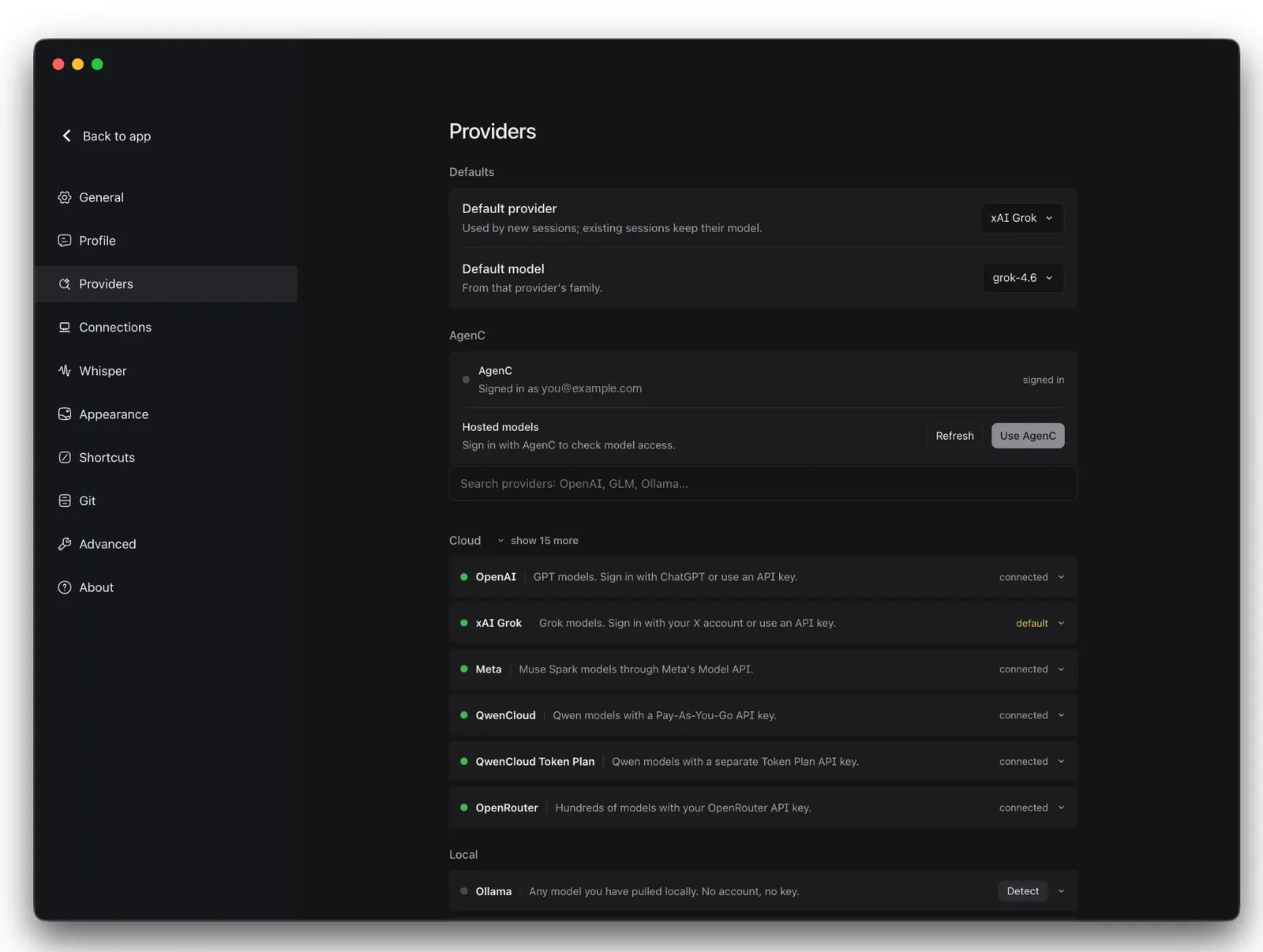
Paste a key for the provider you use, sign in with X to use Grok, sign in to AgenC for hosted models, or download a local model. Keys are encrypted with your system's secure storage.
- 3Open a project
Choose a folder, say what you need, and watch. Approve each action the agent takes, or choose a permission mode that lets it run on its own.
Your model, your key.
Nothing is locked to one vendor. Sign in with an account you already have, paste an API key, or run a model on your own machine with neither. Keys are encrypted with your system's secure storage.
- AgenC hosted models
- OpenAI
- xAI Grok
- Meta
- QwenCloud
- OpenRouter
- Ollama, on your machine
More than twenty cloud providers are listed in the app. AgenC hosted models need an AgenC account and use its credits. Each session keeps its own model and its own reasoning effort, and the model browser tells you what each one can do before you pick it: how much context it holds, whether it reasons in steps, whether it reads images. Sub-agents can run on other providers you allow. You can also talk instead of typing. The microphone in the composer transcribes on your machine with Whisper.
Talk instead of typing.
The microphone in the composer turns what you say into text. It runs on your own machine with Whisper, so nothing you say is sent anywhere to be transcribed, not to us and not to a provider.
- Set up once
- The first run downloads the base model, around 141 MB, so voice works from the start. A larger model is there when you want better accuracy, and you can switch between them later.
- It stops when you do
- The app will not sit recording in the background. Hide the window and it stops listening. Voice has its own settings, next to providers and connections.
Three ways to start a task.
Type a message and the agent works. Or pick how it should approach the job before it starts.
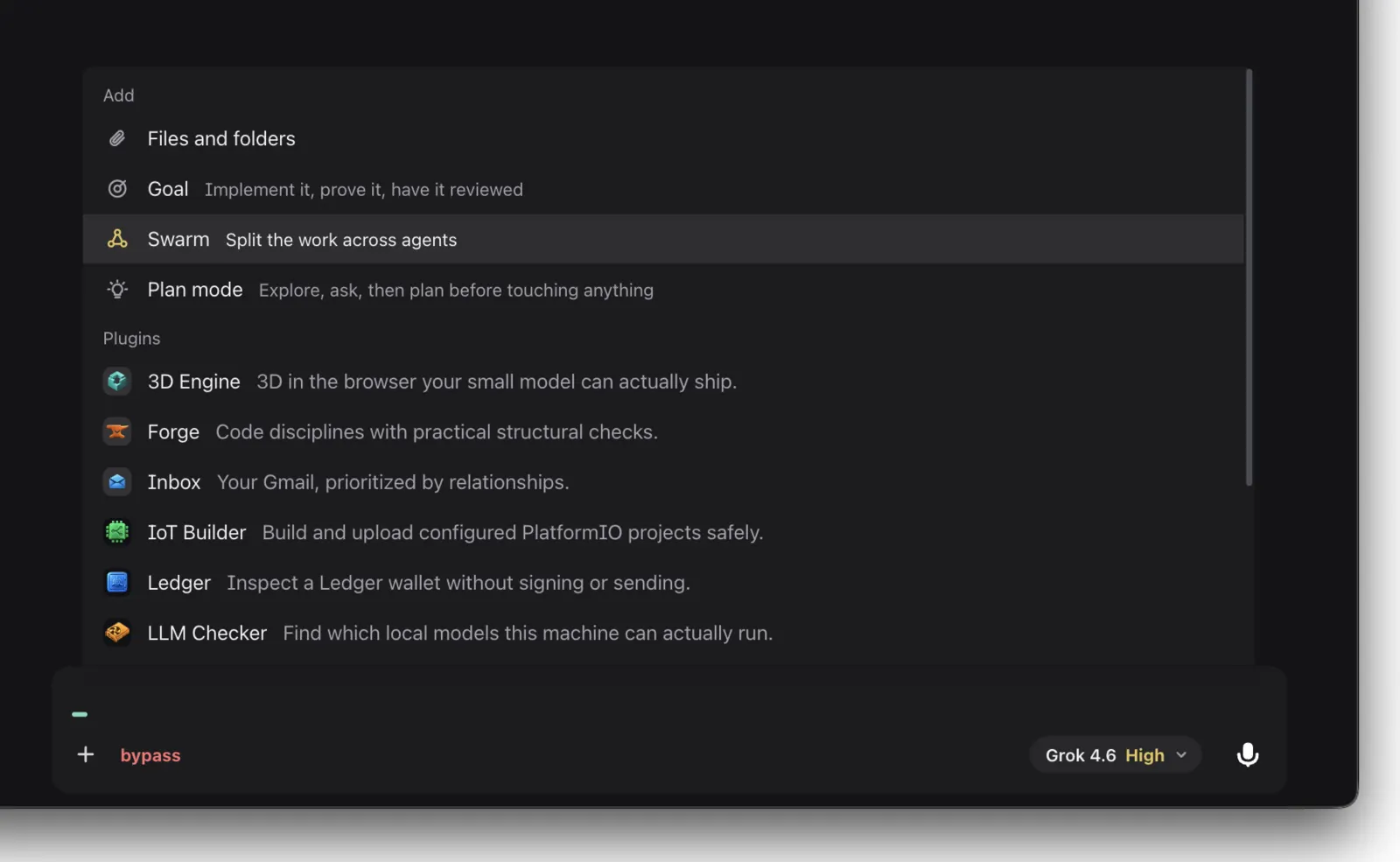
- Goal
- Implement it, prove it, have it reviewed. The change is made in a separate Git worktree, the project's own check has to pass when it has one, and an independent reviewer reads the result, within the spend and time limits you set.
- Swarm
- Split the work across agents. Use it when a job has parts that do not depend on each other.
- Plan mode
- Explore, ask, then plan before touching anything. For real work, nothing is written until you approve the plan.
You decide what it may do.
Every action the agent takes goes through a permission mode. Pick one as the default for new chats, and change it in any chat.
- Ask for every tool
- The agent asks before its tools run. You answer Allow once, Allow for session or Deny.
- Plan without changes
- It reads and plans, but does not edit.
- Approve edits automatically
- Edits to files in the project go through. Most commands still ask.
- Bypass permissions
- No questions. Core still refuses a short list of protected actions, and keeps its sandbox where the system has one.
On Windows, Core has no sandbox yet, so Bypass permissions is the only mode there.
A browser, a terminal, and answers you can use.
A browser and a terminal open next to the chat, and answers can carry charts, tables and files.
- Browser and terminal
- Both open next to the chat. Use them yourself, or let the agent drive them while you watch. On Windows the agent cannot drive them yet.
- Run buttons
- A shell command in an answer gets a Run button that runs it in that terminal, so a password or a key is typed there, never in the chat.
- Charts, tables and files
- Answers can carry charts, price charts, tables, equations, diagrams, images and files, and links get previews.
- Git
- The project's pull requests and their checks sit under the chat, and each new session can get its own worktree and branch.
Teach it the work you actually do.
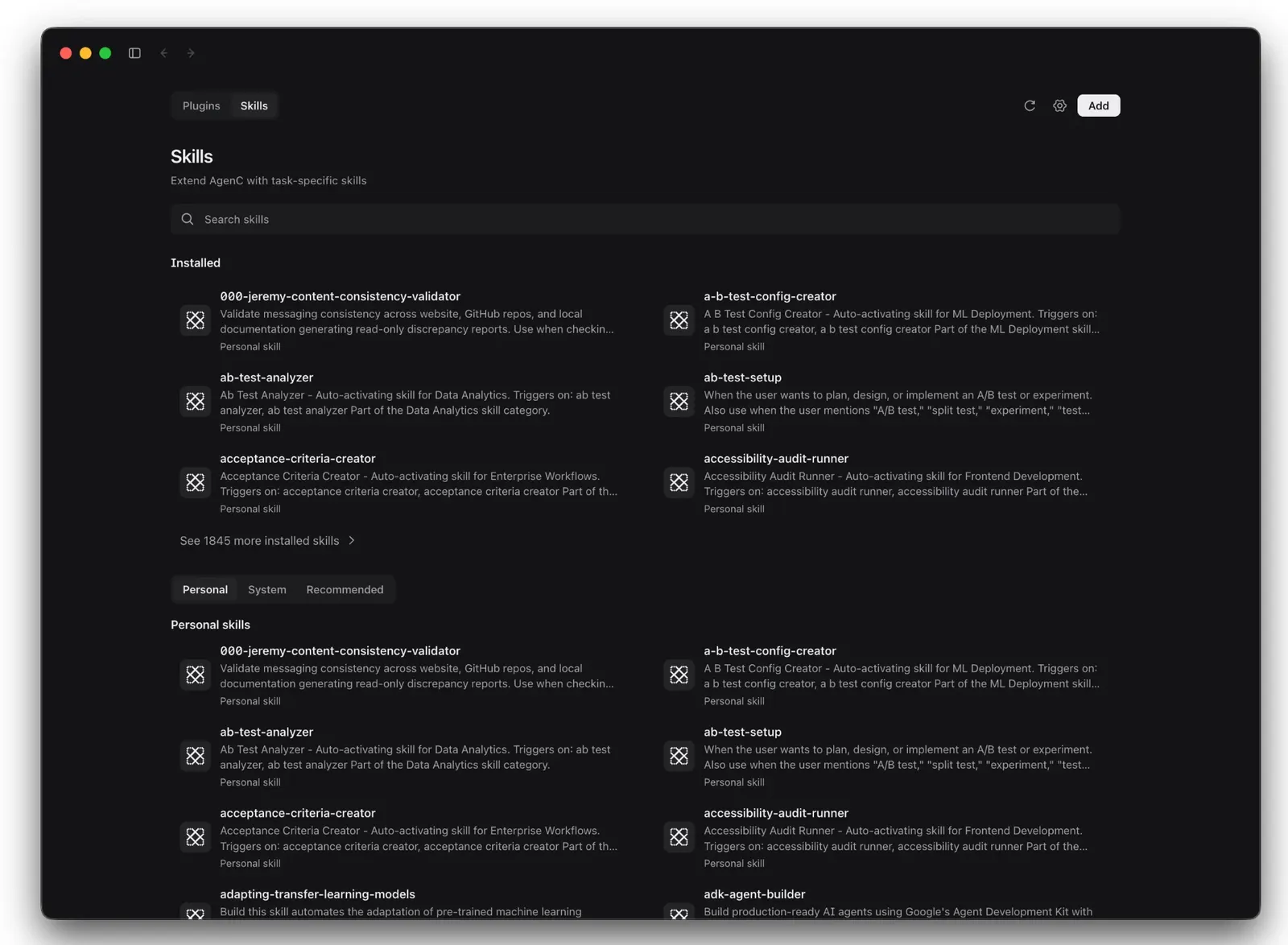
The agent is general. Your work is not. Two things close that gap, and both come with a catalogue you can browse inside the app.
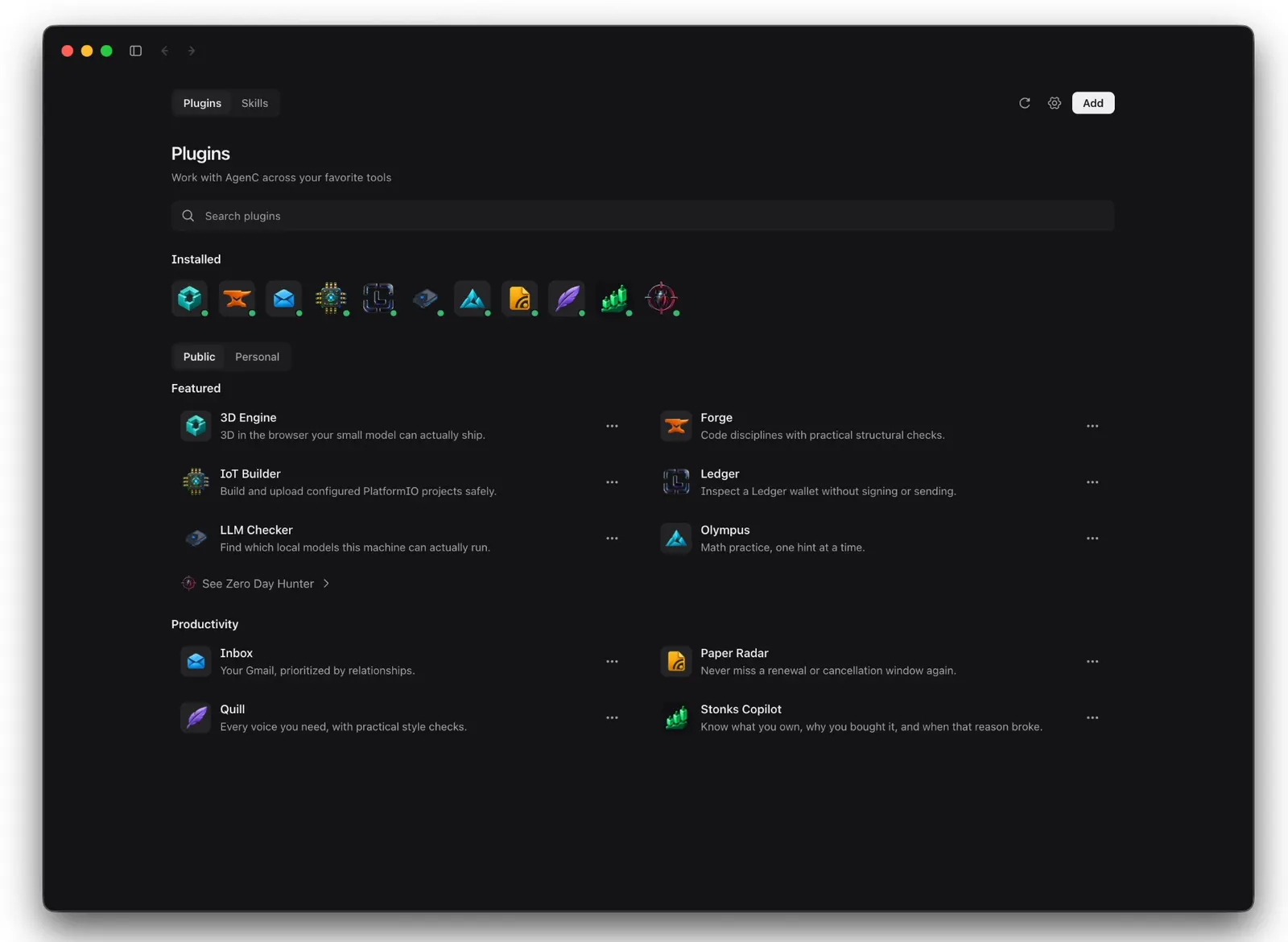
- Plugins
- Ready-made tools you install in a click. Forge checks code structure, Ledger inspects a wallet without signing, IoT Builder uploads PlatformIO projects, LLM Checker finds which local models your machine can run, Inbox sorts your mail, Quill writes in a voice you pick. You can also add your own from a local folder or a Git repository.
- Skills
- Instructions the agent loads when a task matches. Some come with the app, some you write, some are recommended for what you already do. They turn a repeated way of working into something the agent just knows.
Work that repeats, and work you walk away from.
Some jobs should happen without you asking, and some you want to check on from somewhere else.
- Routines
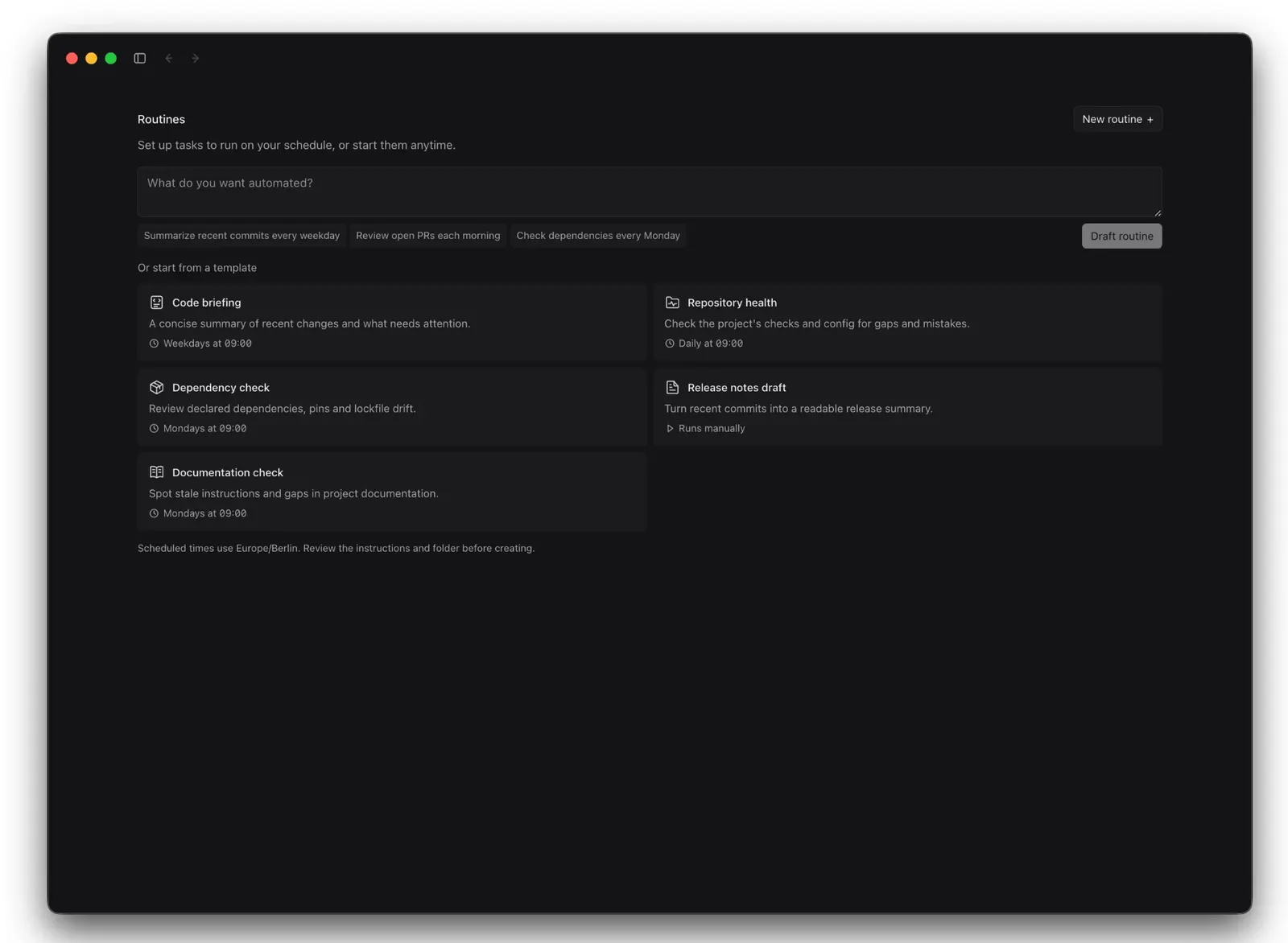
- Tasks on a schedule, or started by hand. It comes with a code briefing every weekday, a repository health check, a dependency review on Mondays, a release notes draft and a documentation check. Describe your own in a sentence, or, on macOS and Linux, ask the agent in a chat to set one up. Routines run while your computer is awake and AgenC is open.
- Connections
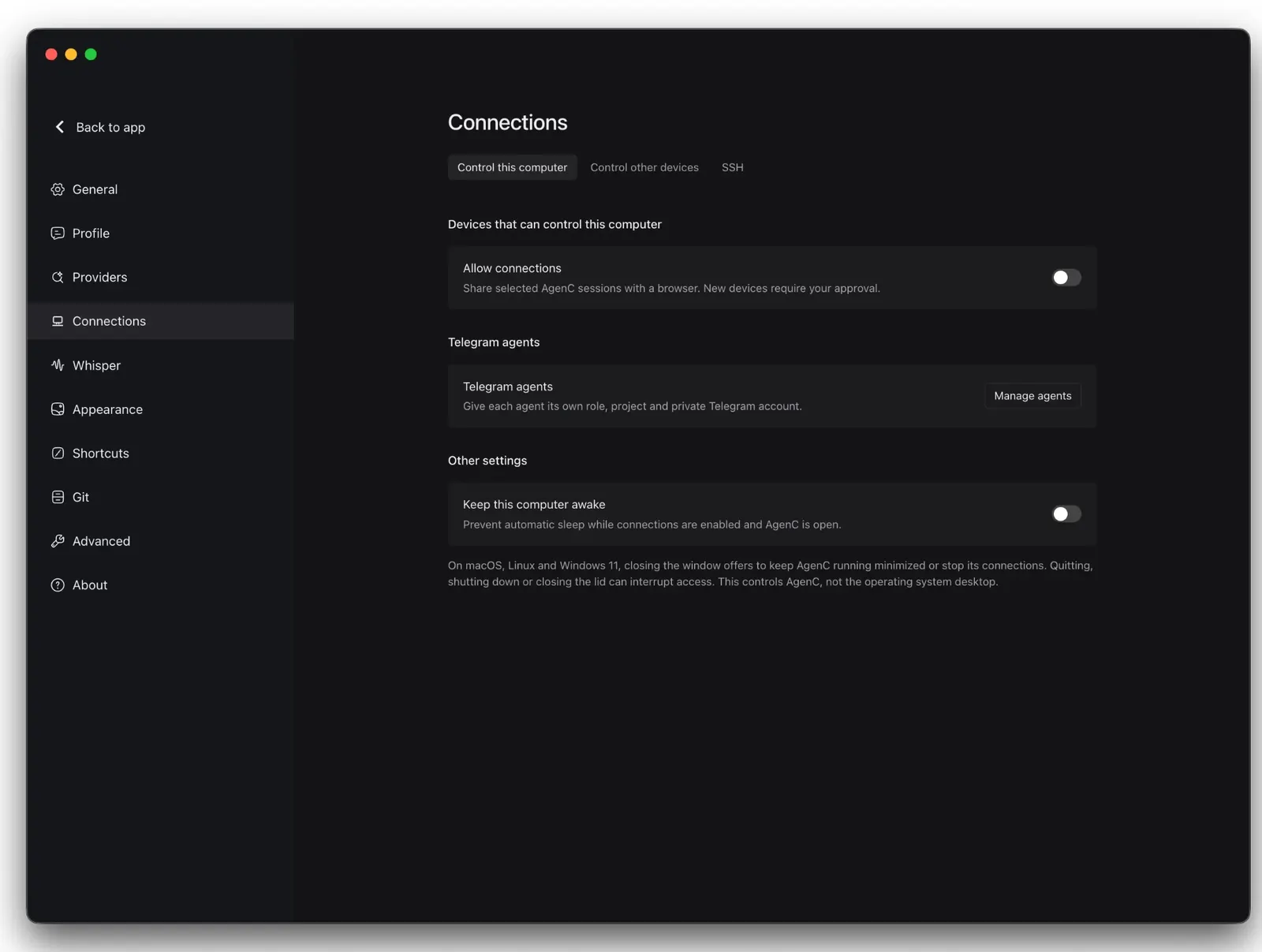
- Open a session from a browser on another device. Every new device needs your approval, and you choose which sessions are shared. There is an SSH tab for machines you reach that way, and a switch that stops the computer sleeping while connections are on.
- Telegram agents
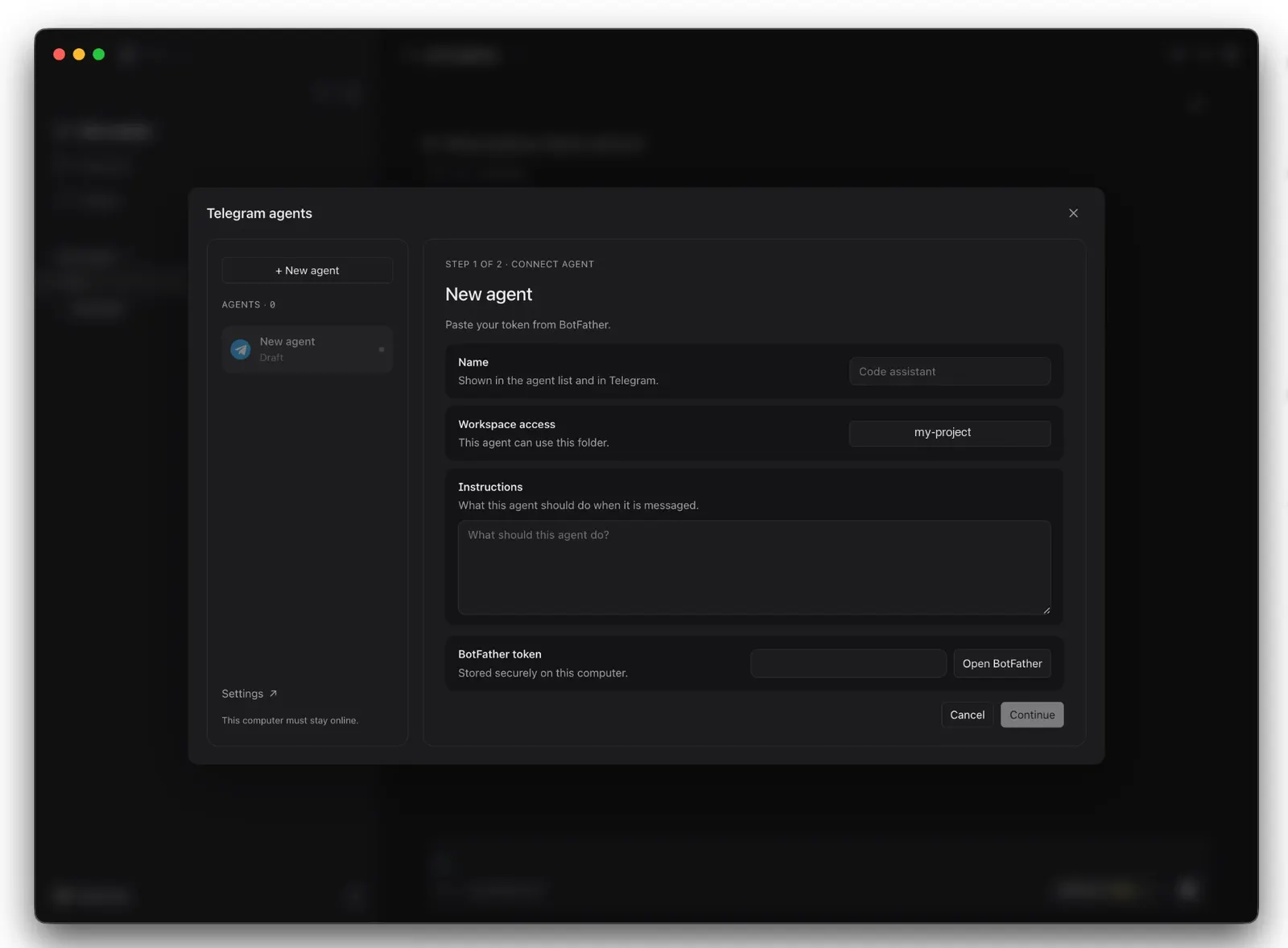
- Give an agent its own role, its own folder and its own Telegram bot, linked to your Telegram account, then message it like a person. Each one runs on your computer and answers from there.
AgenC Core is the same agent as a command line.
The Desktop app carries its own copy of Core and keeps its own data. Install Core when you want the agent in a shell, a CI job, or over SSH.